

You land in Korea, turn on your eSIM, and the internet works right away.
Maps open. Messages come in. Everything feels ready to go.
Then you try to call a restaurant or wait for a restaurant waitlist text — and nothing happens.
Here is what many travelers miss: some Korea eSIM plans include data only. A Korean phone number, calls, and text messages may be separate features rather than part of the same plan.
This guide explains the difference, what to check before you buy, and how to choose the right SIM or eSIM for your trip. Do not judge a plan by the words “data” or “Korean number” alone. Check data, phone number, incoming service, outgoing service, and identity-verification capability separately.
Choose the Connection That Best Suits Your Korea Trip
1. SIM, eSIM, or Pocket Wi-Fi — Which One Fits Your Trip?
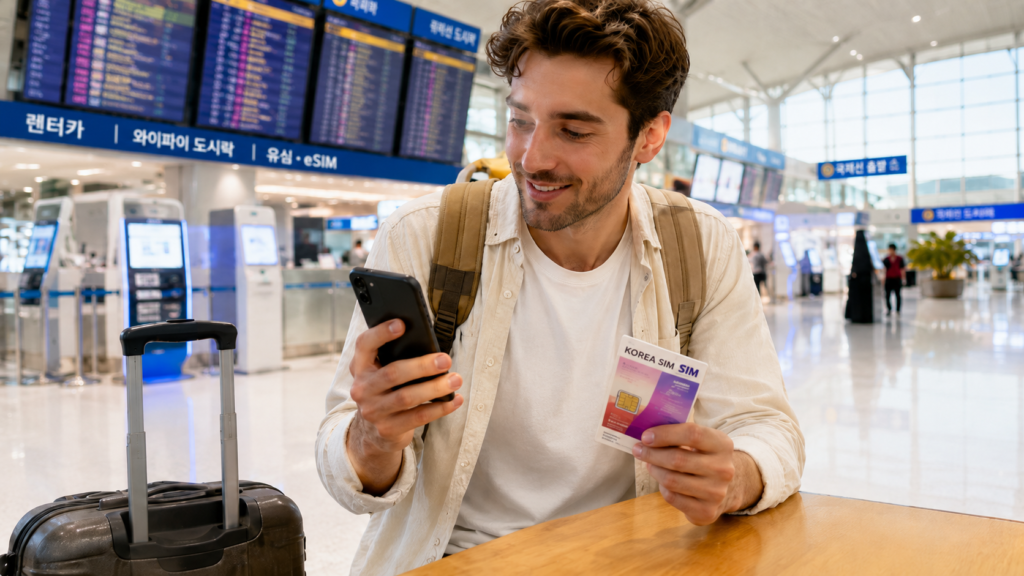
Travelers have three main ways to get online in Korea.
A physical SIM is a small card that replaces the SIM already inside your phone. It is a good choice if your phone does not support eSIM or you want help from a mobile carrier or SIM shop staff when setting it up.
An eSIM does the same job without a physical card. You install it through a QR code or the provider’s app. It can be especially convenient if your phone supports it and you want to keep your home-country SIM physically installed.
Pocket Wi-Fi is a separate device that shares internet with several phones or tablets. It can work well for families who stay together, but someone must carry and charge it.
The newest option is not always the best one. Choose the setup that fits your phone, your group, and the way you plan to travel.
2. Do You Need Data Only — or a Korean Phone Number Too?
Many travelers choose a Korea eSIM by looking only at the amount of data.
But mobile data does not always include a Korean phone number, phone calls, or text messages.
A data-only plan may be enough if you only need maps, translation apps, social media, and internet calls through apps such as WhatsApp.
However, a Korean phone number can be useful when you need to call a restaurant, receive a waitlist text, or give your hotel a local contact number.
Before buying, check these features separately:
- How much mobile data is included?
- Does the plan give you a Korean phone number?
- Can you receive phone calls?
- Can you make phone calls?
- Can you receive text messages?
- Can you send text messages?
Some plans include all of these features. Others include only data or limit certain calls and texts. Do not assume that a Korean phone number means every feature is included.
Current official products show why each function matters: LG U+ offers tourist data eSIM options that can provide a 010 number while outgoing voice and text may require a separate voice option, and KT distinguishes Data eSIM products from Data / Call / SMS products. These are examples, not recommendations—read the exact plan details before you pay.
Check Your Phone Before Buying a Korea eSIM or SIM Card
3. Will Your Phone Work with a Korea eSIM?
Not every phone can use an eSIM.
Even some newer models may not support eSIM, depending on where the phone was purchased. Your phone must also be unlocked from your current mobile carrier.
Check your exact model on the official Apple support page or Samsung support page before buying.
If eSIM is not available on your phone, you can use a physical SIM or pocket Wi-Fi instead.
4. Should You Keep Your Home-Country SIM Active?
Keep your home-country SIM active if you still need bank texts, verification codes, or calls to your usual phone number.
On a dual-SIM phone, you can use two lines at the same time:
- Your home-country SIM for calls and text messages
- Your Korea eSIM for mobile data
Set the Korea eSIM as your mobile data line. Turn off data roaming for your home-country SIM so it does not use expensive roaming data.
Turning off data roaming on your home line can prevent that line from using roaming data, while voice and SMS availability depends on your carrier, device settings, and roaming service.
Receiving or answering calls may still create charges. Your carrier can charge a roaming fee even when someone else calls you.
Incoming text messages are free with many carriers, but not all. Sending a text may also cost money. Check your carrier’s roaming rules before your trip.
Many travel eSIMs need data roaming turned on. Follow the setup instructions for your Korea eSIM.
If you remove your original SIM card, keep it somewhere safe.
5. Should You Install Your eSIM Before Flying?
You can often install your eSIM before leaving for Korea.
The seller may send you a QR code or provide an install button in an app.
Before installing it, check when the plan begins. Some plans start when you first connect in Korea. Others may start as soon as the eSIM is installed.
After arriving in Korea, turn on the eSIM and choose it for mobile data. Follow the seller’s setup guide.
Do not delete an activated travel eSIM just because it is not connecting immediately. Before deleting an eSIM profile while troubleshooting, check the provider’s instructions or contact support. Some Korean tourist eSIMs cannot simply be reinstalled with the same QR code after deletion.
If you use a physical SIM card, insert it after landing or ask the SIM shop staff for help.
Your eSIM Is Connected — But Is Everything Working?
6. You’re Online — So Why Can’t You Call Anyone?

Your SIM or eSIM is connected, and the internet works. But when you try to call a restaurant, the call does not go through.
One common reason is that the plan does not include outgoing voice service, even though mobile data is working normally.
A data-only plan may not let you add phone calls later. You may need to buy a different plan. However, some carrier plans allow you to add credit for outgoing calls.
Some plans include a Korean phone number but allow only incoming calls and text messages. Others include a limited amount of call time.
If your tourist SIM or eSIM includes calls or text messages, the carrier may require passport verification before activating those features. Depending on the provider, you may need to enter your passport details on a verification webpage or visit a carrier counter. Mobile data may still work while the verification is pending.
Before buying, check whether the plan includes:
- Mobile data
- A Korean phone number
- Incoming calls and text messages
- Outgoing calls and text messages
- Included call time
Before buying, check the call and text details—not just the data allowance.
7. Where Is Your Korean Phone Number?
Your Korean phone number may be shown in your purchase email, eSIM voucher, activation message, provider app, or account page.
You can also check your phone settings.
On an iPhone, go to Settings → Cellular or Mobile Service, then select your Korea SIM or eSIM.
On a Samsung Galaxy phone, go to Settings → About phone. On some models, you may also need to check SIM status.
Some phone numbers appear only after the SIM or eSIM connects to a Korean mobile network.
If the number is missing or shown as Unknown, restart your phone and check the seller’s email, app, or website again. If you still cannot find it, contact the seller with your order details.
Having a Korean phone number does not always mean that calls and text messages are included. Check your plan before using the number for restaurant reservations, waitlists, or hotel contact information.
A Korean Phone Number Helps — But It Doesn’t Solve Everything
8. Can You Travel in Korea Without a Korean Phone Number?
Yes. Most short-term travelers can get around Korea with a data-only SIM or eSIM.
Mobile data is enough for maps, translation, messaging, public transportation apps, ride-hailing apps, and internet calls.
A Korean phone number is useful when a restaurant waitlist sends an SMS, an app asks for a verification code during sign-up, or you need to call a restaurant or hotel directly. Still, it is usually a convenience rather than a necessity.
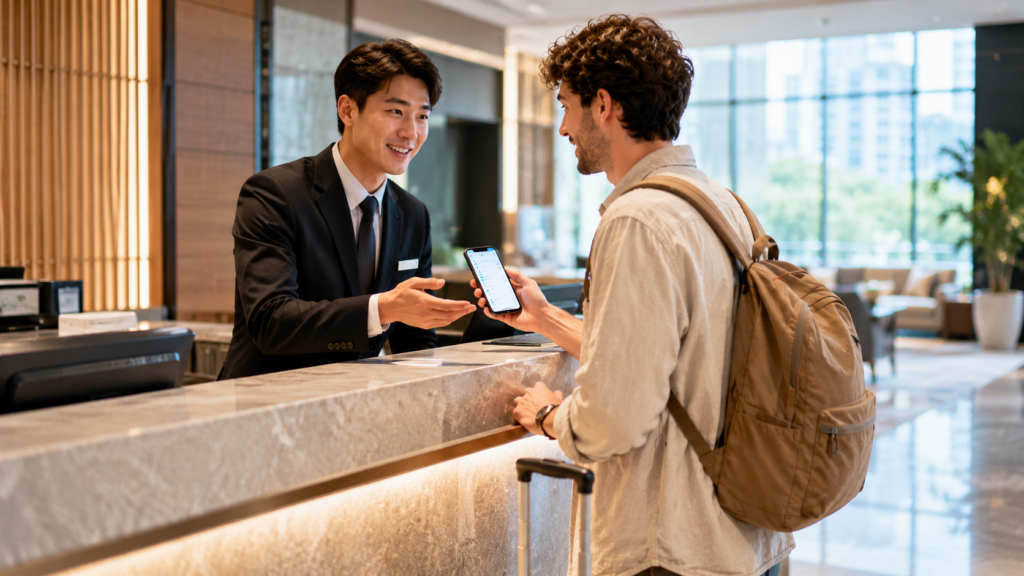
Even when a reservation requires a phone call, you can ask whether your hotel front desk can help. You can also use an app or visit in person. It takes a little more effort, but most travelers can still enjoy Korea without a Korean phone number.
If restaurant waitlists are the reason you are worried about not having a Korean number, see Korean Waiting Culture: 10 Things Travelers Should Know for alternatives, including systems that may not require a local number.
For most short trips, a data-only plan is enough. Choose a plan with a Korean phone number if you expect to use calls, text messages, or SMS verification during your stay.
9. Why Won’t Some Korean Apps Accept Your Phone Number?
Your tourist SIM or eSIM can receive text messages, but some apps may still reject your phone number.
Some apps only ask you to enter a code sent by text. If your plan includes text messages, you may be able to use the code to sign up or log in.
Other apps check whether the phone number is registered in your name with a Korean mobile carrier. Tourist SIMs and eSIMs may not work for this type of check, depending on the service, carrier, and registration method.
Receiving an SMS code is not the same as passing Korean mobile identity verification.
For example, LG U+ explains that its tourist plans cannot be used for identity checks required by banking or government services.
That is why your Korean phone number may work with one app but not another.
Final Thoughts
Choosing a SIM or eSIM for Korea is not only about how much data you get.
Before you buy, check your phone’s eSIM compatibility and unlocked status, then confirm the plan’s data, Korean number, incoming calls and SMS, outgoing calls and SMS, and identity-verification capability if you need it.
For most short trips, a data-only SIM or eSIM is enough. You can use maps, translation apps, messaging, public transportation apps, and internet calls without a Korean phone number.
A Korean phone number can still be helpful for restaurant waitlists, app sign-ups, and direct calls. But it is not necessary for every traveler.
The best choice is the one that fits your trip and how you plan to use your phone in Korea.
Frequently Asked Questions
Can I Keep Using WhatsApp With My Usual Phone Number?
Yes. You can keep using WhatsApp with your usual phone number while using a Korea SIM or eSIM for mobile data.
You do not need to change your WhatsApp number just because you are using a different SIM or eSIM in Korea.
Should I Enable Data Roaming for My Korea eSIM?
Follow the setup guide from your eSIM provider first, because roaming requirements vary by plan.
If your provider instructs you to enable data roaming for the Korea eSIM, do so while keeping roaming data disabled on your home-country line to help avoid extra charges.
What If Your SIM or eSIM Does Not Connect After You Arrive?
Make sure your Korea SIM or eSIM is enabled in your phone settings and selected for mobile data.
Restart your phone. If your eSIM provider tells you to use data roaming, enable it for your Korea eSIM.
If it still does not connect, check the provider’s setup guide or contact customer support.
Can I Share My SIM or eSIM Data With Other Devices?
Many SIM and eSIM plans allow mobile hotspot sharing.
You can use your phone’s hotspot to connect another phone, tablet, or laptop. However, some plans limit or block this feature.
Check the plan details before buying if you expect to share your data.
Related Guides
Your phone is connected. Now discover the apps that make traveling in Korea much easier.
Google Maps in Korea 2026: Naver Map, KakaoMap & What Changed
Google Maps does not work as well in Korea. Learn which map apps locals use so you can find your way more easily.
Getting Around Korea: 6 Easy Subway, Bus, Taxi & Airport Tips
A route may look simple on your phone but feel different once you start moving. Learn how to make getting around Korea easier.
How to Pay in Korea in 2026: The Best Setup for Travelers
Learn where international cards work, when cash still helps, and how transit payments differ from everyday purchases.