

You can use Google Maps in Korea—but in 2026, the answer is more nuanced than the old advice to simply avoid it.
Google Maps can still help you find major attractions, hotels, neighborhoods, and general locations. But when you need the exact subway exit, the correct branch of a restaurant, a small café inside a building, or the bus stop on the right side of the road, Korea’s local map apps can still be more practical.
There is also an important 2026 update. In February, the South Korean government conditionally approved Google’s request to transfer high-precision 1:5,000 map data overseas, subject to security requirements. That may improve Google’s mapping services over time, but it does not mean every Google Maps feature in Korea has suddenly become identical to local apps.
For travelers, the practical approach is simple: keep Google Maps if you already use it, but add Naver Map or KakaoMap for the details that matter once you are actually on the ground.
This guide shows you what changed in 2026, which local map app is worth installing, and the small search habits that can save you from getting off at the wrong exit or walking to the wrong branch.
What Changed With Google Maps in Korea in 2026?

1. Google Maps Works — But Korea’s Map Rules Changed
For years, Google Maps in Korea worked differently from what many international travelers were used to, partly because of restrictions surrounding high-precision Korean map data.
That situation changed in February 2026, when the South Korean government conditionally approved Google’s request to transfer 1:5,000-scale high-precision map data overseas. The approval includes security conditions such as masking sensitive facilities and limiting precise coordinate exposure.
This is an important change, but travelers should not read it as “Google Maps now does everything local apps do.” The approval concerns access to map data; the rollout and behavior of individual Google Maps features can change separately.
Right now, Google Maps is still useful for general orientation and discovering places. For detailed local routing, exact entrances, subway exits, bus stops, and small business information, Naver Map or KakaoMap can still be worth checking.
Local tip: Do not delete Google Maps just because you are visiting Korea. Use it alongside a Korean map app instead.
The Map Apps Koreans Actually Rely On
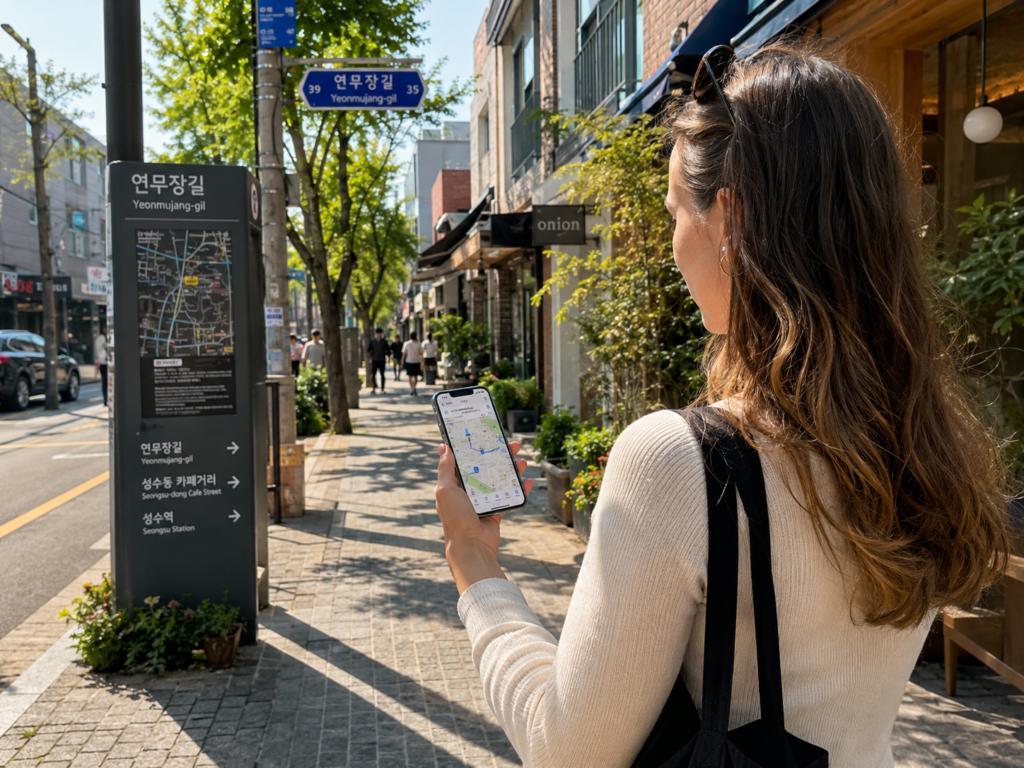
2. Naver Map Is a Strong First Choice for Visitors
Naver Map is useful for place searches and route planning in Korea. It can help travelers confirm restaurants, cafés, exact branches, subway exits, and bus stops.
English, Chinese, and Japanese multilingual support makes it accessible to more visitors, and features for international users have continued to expand.
In 2026, passport verification also improved access for foreign visitors to some NAVER Booking, Order, and payment features. The exact functions available can still depend on the service and account.
Naver Map can be a strong first choice, but it is not automatically the best option for every traveler or every route.
Local tip: If you find a restaurant or café through Instagram, TikTok, YouTube, Google, or a blog, copy the Korean place name into Naver Map and confirm the exact branch before you go.
3. KakaoMap Is Useful for a Second Check
KakaoMap supports public transit, walking, driving, bicycle routes, place search, and route comparison.
Some travelers may find a route or transfer easier to understand in KakaoMap, while others may prefer Naver Map. Neither app is automatically better for every traveler or every situation.
Local tip: If a route, entrance, or transfer point looks confusing in one app, search the same Korean place name in the other before you start walking.
4. Search the Korean Name—and Check the Exact Branch
English searches can work, but for some small restaurants, cafés, and local shops, the Korean name may help you find a more accurate result.
This is especially important when the same brand has several branches. Confirming the neighborhood or street address can keep you from walking to the wrong location.
- Find the place online.
- Copy the Korean name.
- Paste it into Naver Map or KakaoMap.
- Check the neighborhood or street address.
- Confirm the exact branch.
If you cannot identify the Korean name, Papago can be useful for checking a sign, menu, or place name before pasting it into Naver Map or KakaoMap. Treat it as a translation helper, not a replacement for the map app itself.
5. The Last 500 Meters Matter More Than You Think
In Korea, reaching the correct street is sometimes only half the job.
A subway station may have many exits. A café may be on the third floor of a building with a small entrance. Two bus stops with similar names may sit on opposite sides of a major road. A restaurant may have several branches within the same neighborhood.
Before you start the final walk, check four things:
- the subway exit number
- the building entrance or floor
- the exact branch name
- the direction of the bus stop
This is one of the biggest reasons local map apps can be useful even when Google Maps has already brought you close to the destination.
Local tip: Before leaving the subway station, stop near the gate or wall—not in the middle of a busy passage—and confirm your exit number first.
Things to Set Up Before Your First Day in Korea
6. Use a Two-Step Workflow: Discover, Then Verify
Google, Instagram, TikTok, YouTube, and travel blogs can all be useful for discovering places in Korea.
Before you actually go, verify the place in Naver Map or KakaoMap.
Check the Korean name, exact branch, opening hours, break time, last order if relevant, and the entrance or subway exit you will use.
This two-step habit is more useful than arguing over which single map app is “best.” Use the tool that helps you discover the place, then use current local information to make sure you can actually reach the right one.
Local tip: Save the Korean name or address before you leave your hotel. It can also be useful if you need to show the destination to a taxi driver or ask someone nearby.
Final Thoughts
Google Maps is usable in Korea, and the 2026 high-precision map decision could change the service further over time.
But travelers do not need to wait for one perfect map app.
Use Google Maps when it works well for you, keep Naver Map or KakaoMap for local details, and learn one habit that matters more than the app itself: confirm the Korean place name, exact branch, exit, and entrance before you start the final walk.
That small check can save more time than downloading five different travel apps.
Frequently Asked Questions
Can I use Google Maps in Korea?
Yes. Google Maps works in Korea and is useful for general locations and many major destinations. However, Naver Map or KakaoMap can still be helpful for detailed local routes, subway exits, bus stops, exact branches, and smaller businesses.
Did Google Maps change in Korea in 2026?
Yes. In February 2026, the South Korean government conditionally approved Google’s request to transfer 1:5,000-scale high-precision map data overseas. This is an important policy change, but it does not mean every Google Maps feature changed immediately. Travelers should still check current routing and local place details when needed.
Is Naver Map or KakaoMap better for tourists?
Both can be useful. Naver Map offers multilingual support in English, Chinese, and Japanese, which can make it a strong first choice for many visitors. KakaoMap can be useful for route comparison or as a backup. The better choice depends on which interface and route details work for you.
Do I need to search in Korean?
Not always. But for a small restaurant, café, or shop—or a place with several branches—the Korean name plus the neighborhood or branch name can help you identify the correct listing.
Related Guides
Hungry for more local Korea tips?
These guides will help you eat, order, and travel with more confidence.
How to Order Food in Korea Like a Local
Ordering food in Korea can feel confusing at first. This guide shows you how locals really do it.
→ Read the food ordering guide
Travel Like a Local in Korea: The Small Habits Nobody Explains
Want to avoid tourist mistakes? Start with the small habits Koreans use every day.
→ Read the local habits guide
For official Korea travel information, you can also visit the Korea Tourism Organization website.